
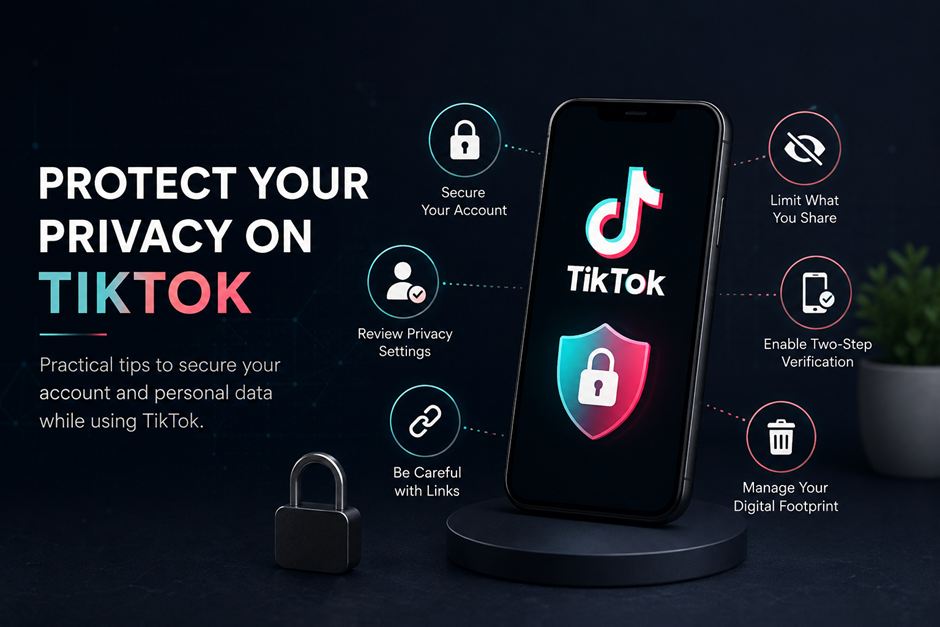
Protect your TikTok privacy by limiting what you share, reviewing your privacy settings, using a unique password, and enabling two-step verification. Also avoid revealing your location or sensitive information in videos and stay cautious with suspicious links and third-party apps.
TikTok makes it easy to discover videos, follow creators, and share content with a large audience. But the more you use the platform, the more important it becomes to think about what information you are making public.
Your profile, videos, comments, interactions, and other online activity can all contribute to your digital footprint. Some of this information is visible to other users, while other data may be connected to your account or device.
So, how can you protect your privacy on TikTok? Start by reviewing your privacy settings, limiting the personal information you share, securing your account, and being careful about suspicious links and third-party services. It is also worth knowing what information about you may exist outside TikTok.
Here are some practical ways to keep your TikTok activity more private.
Review Your Privacy Settings
TikTok provides settings that let users control different aspects of their accounts and content.
Depending on your account and the features available, you can manage who can interact with your videos, send messages, comment, mention you, or follow your account.
It is worth reviewing these settings occasionally instead of assuming the default options still suit the way you use TikTok.
Decide Whether Your Account Should Be Public
A public account can make sense for creators who want their videos to reach more people. If you mainly use TikTok to interact with people you know, you may prefer more control over who can see your content.
A private account gives you greater control over who can follow you and access your posts.
There is no single privacy setting that works for everyone. The better approach is to choose the level of visibility that matches how you actually use the platform.
Limit What Your Profile Reveals
Your TikTok profile does not need to contain every detail about your life.
Avoid publicly displaying information such as your home address, personal phone number, or other details that could make it easier for someone to identify or contact you elsewhere.
Also think about your username. If you use the same username across several social networks, someone may be able to connect those accounts and learn more about you.
Watch What You Share
Privacy settings are only part of the picture. Your own videos can reveal information that you never intended to make public.
A short video might show a house number, street sign, workplace, school, vehicle registration plate, or a place you visit regularly.
Before publishing a video, look at the entire frame and check what appears in the background.
Avoid Sharing Your Location
Posting from a location while you are still there can reveal where you are.
This matters particularly when filming at home, at work, at school, or at another place you visit frequently.
If a location is important to your content, consider sharing it after you have left rather than revealing your current whereabouts.
The same idea applies to travel plans. Publicly announcing exactly when you will be away from home may provide more information than you need to share.
Check Documents Before Posting
Be careful when videos include documents, tickets, packages, computer screens, or paperwork.
Passports, identity documents, invoices, shipping labels, and work documents can contain names, addresses, account numbers, or other sensitive information.
If something needs to appear in a video, check it carefully and hide details that other people do not need to see.
Secure Your Account
Privacy settings control what other people can see, while account security protects access to the account itself.
Two basic steps are especially useful: using a unique password and enabling two-step verification.
Use a Unique Password
Avoid using the same password for TikTok and other websites.
If another service suffers a data breach and your password is exposed, attackers may try those same credentials on other accounts.
A long, unique password reduces that risk. If you have trouble remembering multiple passwords, a reputable password manager can store unique credentials for your different accounts.
Enable Two-Step Verification
Two-step verification adds another layer of protection when you sign in.
Instead of relying only on a password, your account may require another method to verify your identity. That means knowing your password alone may not be enough to access the account.
The Cybersecurity and Infrastructure Security Agency (CISA) recommends using multifactor authentication because it provides an additional layer of protection if a password is compromised.
If you use TikTok for content creation, business, or other important activities, enabling this feature is particularly worthwhile.
Watch Out for Suspicious Links
Not every message that looks legitimate actually is.
Social media accounts can be used to send phishing messages, fake offers, account warnings, or requests for personal information. The FTC recommends limiting what you share publicly and being cautious about unexpected messages and offers on social media.
Be especially careful when a message asks you to:
- Enter your password
- Share a verification code
- Download an unexpected file
- Provide personal information
- Send money
- Click a link to “verify” your account
If a message claims there is a problem with your TikTok account, open TikTok directly instead of following an unexpected link.
Understand Your Digital Footprint
Protecting your TikTok account is only one part of online privacy.
Information connected to you may also exist on other platforms, old accounts, forums, apps, and services. The same email address or username might have been used in several places over the years.
As a result, information shared somewhere else can sometimes be connected to your wider online identity.
Check for Exposed Information
Data breaches can affect users even when they have followed good security practices. If a service you used in the past suffers a breach, information associated with an old account could potentially be exposed.
If you are concerned that an email address, password, or other personal information may have appeared in an exposed-data source, dark web monitoring tools can help identify certain types of exposure and give you an opportunity to respond.
For example, if an old password has been exposed, you can change it anywhere you still use it and enable additional security measures.
Monitoring does not prevent a breach from happening. Its main benefit is giving you more visibility into potential exposure so you can take action sooner.
Review Third-Party Apps
You may come across applications or services that offer additional features for social media accounts.
Before connecting one to TikTok, consider what information it requests and whether the service is trustworthy. If the permissions seem unrelated to the feature you want, there may be little reason to grant them.
It is also worth reviewing connected services from time to time. An application you authorized months or years ago may no longer be something you use.
Removing unnecessary connections can reduce the number of services that have access to your information.
Think Before You Post
Not every TikTok video needs to reach the widest possible audience.
If you create public content, you can still keep personal details out of your videos. Ask yourself whether viewers really need to know where you live, work, study, or spend time regularly.
Creators do not have to hide their entire personal lives. The goal is simply to decide which details are useful to share and which are better kept private.
A public TikTok presence and personal privacy can coexist when there is a clear boundary between the two.
Review Your Privacy Regularly
Privacy settings are easy to forget once an account has been set up.
A quick review every few months can help you notice changes or remove information that no longer needs to be public.
Check:
- Who can view and interact with your content
- What personal information appears on your profile
- Whether your password is unique
- Whether two-step verification is enabled
- Which third-party services are connected
- Whether older videos reveal sensitive details
- Whether your account shows unfamiliar activity
You do not need a complicated security routine. A short review can be enough to catch obvious problems.
Final Thoughts
You do not need to stop using TikTok to take your privacy seriously.
Start with the information other people can see. Review your account settings, be careful about what appears in your videos, secure your login, and think twice before clicking unexpected links or connecting unfamiliar services.
It is also worth remembering that your digital footprint extends beyond TikTok. Old accounts and data breaches can leave personal information exposed elsewhere, so occasional privacy checks and monitoring can help you respond before a small issue becomes a bigger one.
FAQs
1. How can I protect my privacy on TikTok?
Review your privacy settings, limit personal information on your profile, avoid revealing your location, use a unique password, and enable two-step verification.
2. Is TikTok safe for personal information?
TikTok can be used more privately by limiting what you share and reviewing your account settings. Avoid posting sensitive details such as your address, phone number, documents, or current location.
3. Should I make my TikTok account private?
If you mainly use TikTok to share content with people you know, a private account can give you more control over who follows you and views your posts. Public accounts may be more suitable for creators who want wider reach.
4. How do I stop TikTok from revealing my location?
Avoid posting your exact location while you are still there. Also check videos for street signs, house numbers, workplace details, or other background information that could reveal where you are.
5. How can I secure my TikTok account?
Use a strong, unique password and enable two-step verification. You should also be cautious about suspicious messages, links, and requests for login or verification information.
6. Can TikTok videos reveal personal information?
Yes. Videos can unintentionally show addresses, documents, license plates, school or workplace details, or locations you regularly visit. Check the entire frame before posting.