
A single product photo can become a full set of UGC-style ads if I build it correctly.
This is how I scale ad testing without increasing production cost or shooting new content.
The idea is simple: one asset, many creative angles, multiple platform-ready videos.
What matters is not just generating videos, but designing ads that can actually perform. I focus on speed, variation, and clarity so every creative has a testing purpose.
AI tools now make this process fast enough for daily ad iteration. Here’s exactly how I do it from start to finish.
Why Brands Are Scaling UGC Ads From a Single Product Photo
The rising cost of traditional UGC production
Traditional UGC production usually depends on creators, shoots, revisions, and timelines that stretch for days or weeks. That slows down testing, especially when you need multiple ad angles for paid campaigns. I’ve seen brands spend most of their budget just trying to produce enough creative variety.
With AI, the bottleneck shifts from production to idea quality. Instead of organizing shoots, I focus on generating variations from a single product asset.
Why creative volume matters more than ever
Ad platforms reward testing. The more variations I run, the faster I learn what works. One winning concept can outperform everything else, but I rarely find it without volume.
When I scale creative output, I usually aim for:
- Multiple hooks per product
- Different emotional angles
- Different motion styles
- Different audience intents
This is where a single product photo becomes powerful. It becomes the base for dozens of experiments.
How AI helps scale without extra production cost
AI removes the dependency on reshoots. I can generate scripts, visuals, and videos from the same input. Platforms like Loova help me combine these steps in one place, especially when I need to move fast between ideation and execution.
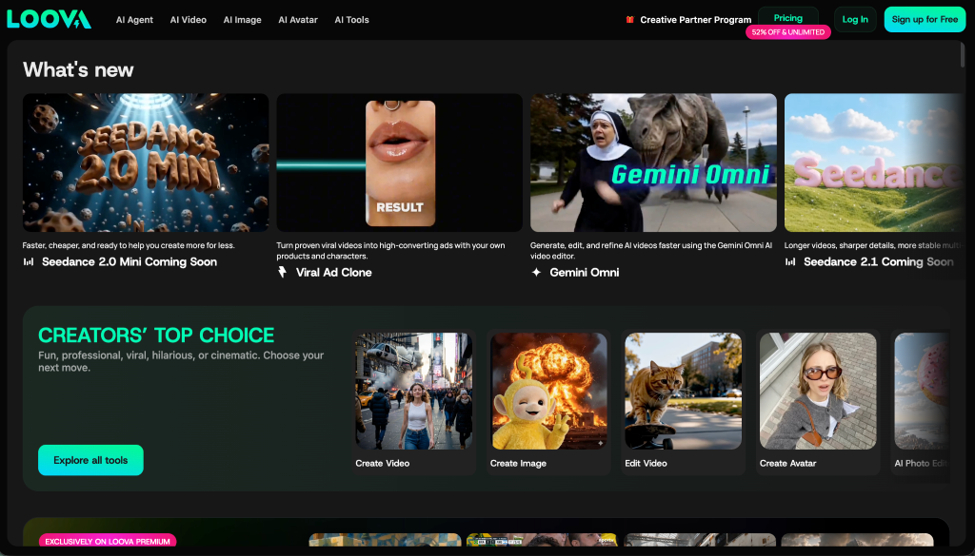
The real value is not automation, but iteration speed. I can test ideas in hours instead of days.
What Makes an Effective AI UGC Ad
Key elements of high converting UGC content
A good AI UGC ad still follows the same rules as human-made content. I always check for three things:
- A strong hook in the first seconds
- A clear product benefit
- A believable use context
Even when the content is AI-generated, it still needs to feel like it fits naturally in a social feed.
Why authenticity matters more than production quality
Over-polished ads usually underperform on social platforms. What works better is content that feels natural and slightly imperfect. The goal is not cinematic quality but relatability.
That’s why I focus on simple storytelling formats like product reviews, quick demos, or everyday use scenarios.
The AI-Powered Process From One Product Photo to 20 UGC Ads
Before I start, I keep a simple stack ready:
- LLM for script writing
- AI image generation tool for scene variation
- Image to video AI tool for motion creation
- AI Ad Generator for viral ad generation
- Viral Ad Clone for catching the latest momentum
- Editing tool for final polish
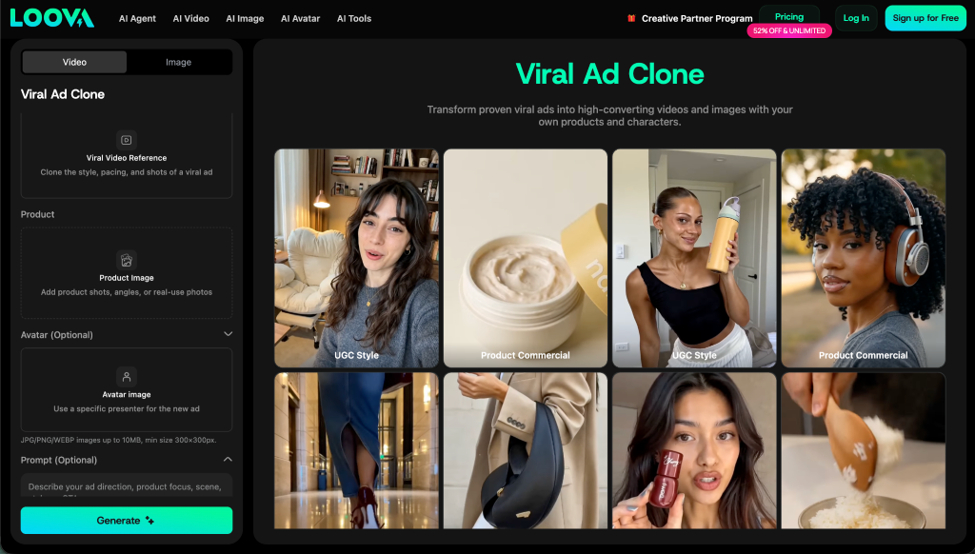
Loova is an all in one AI image and video platform when I want everything connected. It provides multiple advanced models under cost-effective subscription plan, excellent video generation performance, up-to-date templates that’s inspiring and easy to use. This keeps the process fast and repeatable.
Step 1 Generate Multiple UGC Video Scripts with AI
I never start with visuals. I start with angles. One product can have multiple ways of being framed depending on the user.
I usually define different customer personas first:
- First time buyer
- Problem aware user
- Budget focused shopper
- Gift buyer
- Repeat customer
Then I generate scripts based on common UGC formats.
High performing UGC angles I use:
- Problem solution format
- Quick product demo
- Before and after scenario
- Honest review style
- Unboxing experience
- Comparison against alternatives
- Trend based hook
Each script is short and focused. I avoid long explanations and keep everything centered on one idea per ad.
For example, a skincare product might become:
- “I stopped using three products after this”
- “This fixed my morning routine”
- “I didn’t expect this to work this fast”
Each line becomes a separate creative direction.
Step 2 Use AI Image Generation to Expand Visual Assets
A single product photo is enough if I can extend it visually. This is where Image to Image AI tool becomes useful.
Instead of reshooting, I generate variations like:
- Lifestyle backgrounds
- Different lighting environments
- Seasonal or mood based scenes
- Indoor and outdoor contexts
This helps me avoid repetitive visuals across ads.
I always try to keep the product consistent while changing only the environment or framing. That ensures brand clarity while still creating variation.
In Loova, I often generate multiple scene versions quickly so I can map each script to a different visual direction.
Step 3 Turn Images Into UGC Style Videos
Once I have scripts and images, I move into Image to Video AI tool generation. This is where static assets become ad creatives.
I focus on motion styles that mimic real user content:
- Handheld creator style movement
- Subtle product rotation
- Close up reveal shots
- Lifestyle interaction scenes
- Product focus zoom ins
The goal is not perfect animation. The goal is believable motion that fits social feeds.
How I reach 20 ad variations quickly:
I multiply outputs using three variables:
- Script angle
- Visual scene
- Motion style
For example:
- 5 scripts
- 4 visual styles
- 1 product
That already gives me 20 combinations.
This structure keeps generation controlled instead of random. It also makes testing easier because I know what variable each ad is testing.
Step 4 Edit Optimize and Export for Ads
Once videos are generated, I refine them for performance.
What I adjust before exporting:
- Add short captions that reinforce the hook
- Place product benefit text early in the video
- Keep branding subtle but visible
- Adjust pacing based on platform
I also match export formats to platforms:
- 9:16 for TikTok and Reels
- Slightly slower pacing for Instagram
- Clearer structure for YouTube Shorts
Audio also matters. Even simple background sound improves retention.
At this stage, I avoid over editing. If the AI video already has strong motion, I only enhance clarity instead of changing it.
Real Example From One Product Photo to 20 AI UGC Ads
Let’s take a simple example: a wireless earbud case photo.
Step breakdown
Scripts:
- Review style: “I didn’t expect these to feel this premium”
- Problem solution: “My old earbuds kept disconnecting”
- Lifestyle: “These are part of my daily commute now”
- Comparison: “These replaced my previous brand instantly”
- Unboxing: “First impression was surprisingly good”
Visual variations:
- Clean studio background
- Desk setup lifestyle scene
- Outdoor commute scene
- Minimal floating product showcase
Motion styles:
- Slow zoom in
- Gentle rotation
- Handheld style movement
- Fast hook transition
This combination easily produces 20 distinct ads from one image without reshooting anything.
Best Use Cases for AI Generated UGC Ads
- TikTok and Instagram Reels ads. These platforms reward fast hooks and native style content. AI UGC ads fit naturally when they mimic creator behavior.
- Meta Ads creative testing. Meta campaigns rely heavily on variation. AI helps me test more angles without increasing production time.
- Shopify product pages. Short looping videos improve engagement and help users understand products faster than static images.
- Amazon listings. Even simple motion clips help products stand out in crowded search results.
- Email campaigns. Animated visuals bring more attention to returning users and improve click behavior.
Best Practices for Scaling AI UGC Content
I follow a few simple rules when scaling production:
- Always prioritize variation before perfection
- Keep product visible in every creative
- Test multiple hooks instead of one strong idea
- Refresh winning ads regularly
- Track performance early instead of waiting too long
The goal is not to create one perfect ad. The goal is to find winning patterns quickly.
Final Thoughts
Turning one product photo into 20 AI UGC ads changes how I approach creative production. Instead of thinking in terms of single ads, I think in systems of variation.
AI makes it possible to test faster, learn faster, and scale what works without waiting on traditional production cycles. Platforms like Loova help streamline this process by connecting scripting, image generation, and video creation in one place.
In the end, success comes from iteration. The more variations I test, the faster I find what actually converts.
FAQ How to Turn a Single Product Photo into 20 AI UGC Ads
Can I really create 20 ads from one product photo?
Yes, if you combine multiple scripts, visual styles, and motion variations. The key is structured variation, not random generation.
What tools do I need for this process?
I typically use an LLM for scripts, an image to image AI tool for visuals, and an image to video AI tool for motion. Loova can combine all of these in one platform.
Do AI UGC ads perform well in paid campaigns?
They can perform very well when tested properly. Success depends more on creative strategy and testing volume than on whether the content is AI-generated.
How long should AI UGC ads be?
Most effective ads are between 6 and 15 seconds. Shorter formats usually perform better on TikTok and Reels.
Can I use these ads for Shopify or Amazon?
Yes. Short AI generated videos often improve engagement on product pages and listings because they communicate value faster than images.
What type of products work best for AI UGC ads?
Products with clear visual features or strong use cases tend to perform best, especially in ecommerce, beauty, tech, and lifestyle categories.